Barcodes Customer Portal
The Customer Portal stores your orders after checkout. It is a free service for all Barcodes Tanzania customers to manage their barcodes, products, and download graphics. It can be accessed anytime 24/7.
What You Can Do in the Portal
- Orders & Graphics: Re-download your past orders, get your barcode graphics in vector SVG, PDF, and high-res PNG formats, or forward order files directly to your packaging designer or printer.
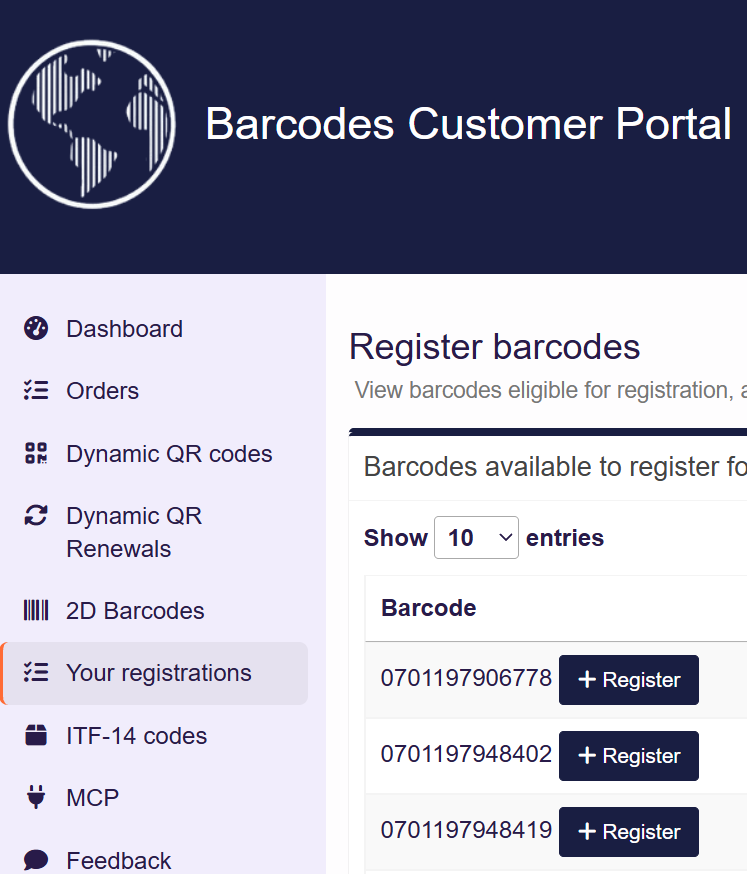
- Product Registration: Add or edit product details to publish them on the International Barcodes Database and IBN Verified—free with every EAN-13 and UPC barcode from us.
- Dynamic QR Codes: Redirect dynamic codes to a new URL anytime 24/7. Renew an expiring dynamic QR code. You can also customise your QR code colours, frames, shapes and add a logo with our free online designer.
- ITF-14 Carton Codes: Manage wholesale delivery case codes linked directly to your product retail GTINs.
- GTIN Certificates: Update the company name listed on your official GTIN ownership certificates following a rebrand or business transfer.
- 2D Barcodes: Create 2D barcode images from your barcode numbers with a 100% GS1-compliant resolver service.
How To Set Up Your Portal Account
- Register using the same email address you used when ordering. This automatically links past purchases to your dashboard.
- Verify your email address. Check your spam or junk folder if the verification link doesn’t arrive within a few minutes.
- Log in. Your past orders and barcode files will be waiting for you.
Sign In
If you have created a portal account already, you can sign in straightaway.
Haven’t ordered yet? Start with our retail barcodes, then set up your account using the same email. Prefer a visual walkthrough? Watch our short video explainer.
One Network, One Portal
Every licensee in the International Barcodes Network shares this portal. All your historical orders across network sites will appear under a single unified account when using the same login email address.
Need Assistance?
If past orders aren’t appearing after signing in, your account was likely registered under a different email address than the one used to initially order the barcodes. Contact our support team and we’ll link your orders manually.